01
Writing down every meal is a chore, so it stops happening.
How Kipi helps
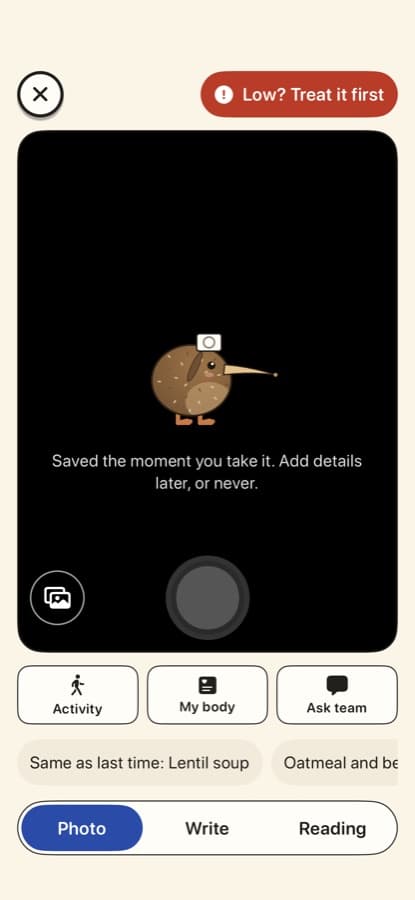
Snap a photo and the meal is saved. Your usual meals and "Same as last time" are one tap, and you can add details later or never.
MEALS, GLUCOSE, AND CARE NOTES
Keep meal photos, glucose notes, medicines, and the context you choose in one calm notebook. Save a usual meal quickly and decide what to share.

On iPhone, Kipi is part of Pippa Companions. Open it and pick Kipi. On Android, Kipi is its own app.

For people keeping meal and glucose notes alongside their diabetes care.
Photo, words, or a usual meal
Works offline
"Not sure" is a real answer
You decide what to share
DIABETES
Carbohydrates raise blood glucose, so people with diabetes are asked to keep track of what they eat, their readings, their medicines and what was going on that day. Doing that by hand after every meal is tiring, and a log that colors numbers red or scores your day can make it feel like a test you keep failing. Lows add another worry: when one happens you need your plan right away, not a menu.
Snap a photo and the meal is saved. Your usual meals and "Same as last time" are one tap, and you can add details later or never.
Scan the barcode and Kipi fills in the carbs exactly as the label prints them, with the serving size, from Open Food Facts. You can also read a nutrition label with the camera.
Add a glucose reading as a plain note for you and your team. Kipi never colors, scores or compares a reading.
The Low button on the log page opens "Treat it first" and the steps from your own care plan before anything else.
Meals, readings, medicines and how you felt sit in one timeline you can review and choose to share before an appointment.
Your insulin, targets and treatment steps come from your clinician. Kipi keeps the notes; it never calculates doses.
HOW IT WORKS
Photo, words, or a usual meal. Kipi saves it right away.
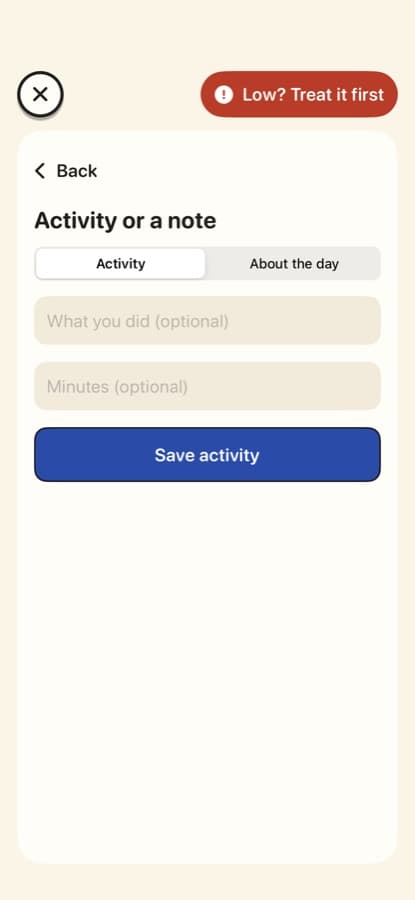
Glucose, medicine, activity, or a feeling, only if you want.
Look back over your own notes and choose what to bring to care.
INSIDE THE APP
Real screens from the current build, with sample data.
Snap your meal and it is saved. Photos are kept on your phone.
Add a glucose reading, medicine, activity, or how you feel, right on the log page.
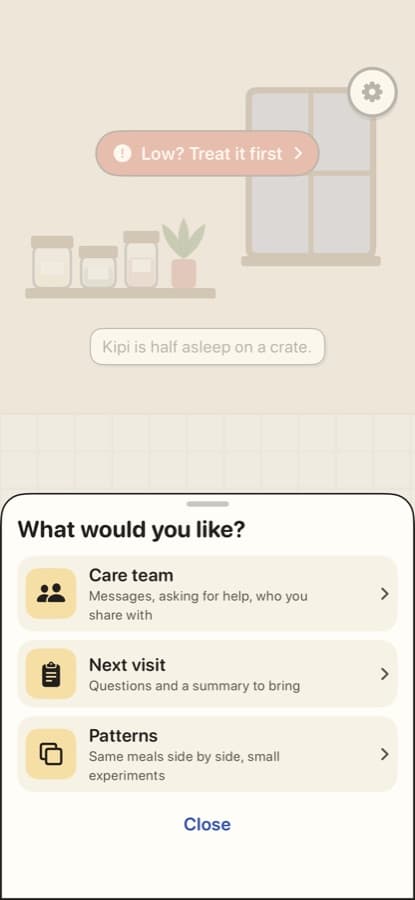
Tap Kipi for your notebook, care team, and settings.
WHAT IT DOES
For people keeping meal and glucose notes alongside their diabetes care.
A meal photo, a few words, or a meal you often have.
Correct an entry later. Records stay organized and private.
Log offline, use "not sure" or a partial note when that is what happened.
Pick what to include in a care conversation.
PRIVACY
Nothing goes to a care team unless you connect to a participating program. Once you connect, they can see what you log in the app, and you can stop sharing at any time.
Meal photos are kept on your device. If you use food naming, a copy is sent to our AI provider to name the food, and we don't keep it. You can delete your account and data at any time.
We do not sell your data or show ads. Read exactly what we collect in our policies.
FAQ
No. On iPhone, Kipi is a program inside Pippa Companions. Download Pippa Companions, open it and pick Kipi. On Android, Kipi is its own app on Google Play.
No. Kipi does not calculate insulin doses, control a pump, diagnose diabetes, or treat low blood glucose. Meal and carbohydrate estimates are not suitable for dosing decisions.
Only once you connect to a participating program. After that they can see what you log in the app, and you can stop sharing at any time. Nothing is watched in real time.
No. The app does not monitor your notes in real time. If you need urgent help, call 911 or your local emergency number.
The app is free to download, and logging, asking for help, your care team and your history never cost anything. An optional Pro subscription adds extras, like more looks for your companion. On iPhone, one Pippa Companions Pro subscription covers every program.
PIPPA COMPANIONS
On iPhone, Kipi lives inside Pippa Companions: one app with a program for each kind of care. On Android, each companion is its own app on Google Play.
Pippa Companions has a program for each kind of care, all in one app on your iPhone.
The first time you open it, choose your program from a home screen of icons. Press and hold an icon to see what it’s for.
Each program keeps its own account and its own notes.
Pro is optional. One Pippa Companions Pro subscription covers every program.
Hydration and POTS
Diabetes
KipiYou’re here AvenPlain style
Bariatric surgery
IBS and gut symptoms
After surgery or new meds
Cancer treatment
Older adults
Eating recovery
Companion programs come with a friendly character. Plain-style programs have the same care tools, without one.
A 15-minute walkthrough of Kipi and the care-team dashboard, with your program's workflow in mind. No slides, just the product.
Here as a patient? Take your time. Everything in Kipi is optional, and logging is free.
On iPhone, Kipi is part of Pippa Companions. Open it and pick Kipi. On Android, Kipi is its own app.

Keep meal photos, glucose notes, medicines, and the context you choose in one calm notebook. Save a usual meal quickly and decide what to share.
On iPhone, Kipi is part of Pippa Companions. Open it and pick Kipi. On Android, Kipi is its own app.


